PRACTICE MANAGEMENT
Digital Signature
Digital Signature
Sign documents digitally in compliance with legal requirements – no paper, no scanning
With the digital signature feature in ClinicOS, consents, disclosures, and agreements can be easily signed digitally. Patients conveniently sign either on the device or online, and the document is automatically stored in the patient file.
No paper forms, no scanning, no filing issues
Faster processes at reception and in the treatment room
Documents are clearly and traceably documented in the file

The Problem
Paper-based information and consent
Consents and information are often printed, signed, scanned, and filed. This process is time-consuming, causes media disruptions, and leads to errors: incorrect versions, missing signatures, or documents that do not end up in the correct file.
High time consumption due to printing, signing, and scanning
Disruptions in the process between paper and digital records
Errors in documentation due to versions, signatures, or filing
The Solution
Digital Signature
Digital Signature
ClinicOS enables digital signatures directly in the practice process: prepare the document, have it digitally signed, and automatically store it in the patient file—without paper and without manual follow-up.

Features
What the digital signature concretely does for you
Digital signature
for consents, disclosures, and agreements
Signature on the device or online
(depending on the process)
Automatic Filing
of the signed document in the correct patient record
Traceability
Signature is documented and can be retrieved at any time
Fewer media disruptions
no more scanning and printing processes
Faster approvals
for recurring standard documents
Digital signature
for consents, disclosures, and agreements
Digital signature
for consents, disclosures, and agreements
Signature on the device or online
(depending on the process)
Automatic Filing
of the signed document in the correct patient record
Traceability
Signature is documented and can be retrieved at any time
Traceability
Signature is documented and can be retrieved at any time
Fewer media disruptions
no more scanning and printing processes
Fewer media disruptions
no more scanning and printing processes
Faster approvals
for recurring standard documents
The Result & How It Works
Documents completed in minutes - and neatly filed in the record
You save printing and scanning effort, reduce errors, and have signed documents available at any time in a structured manner. This speeds up processes for both practice and patient.
Below, we show how it works in everyday practice in three steps:
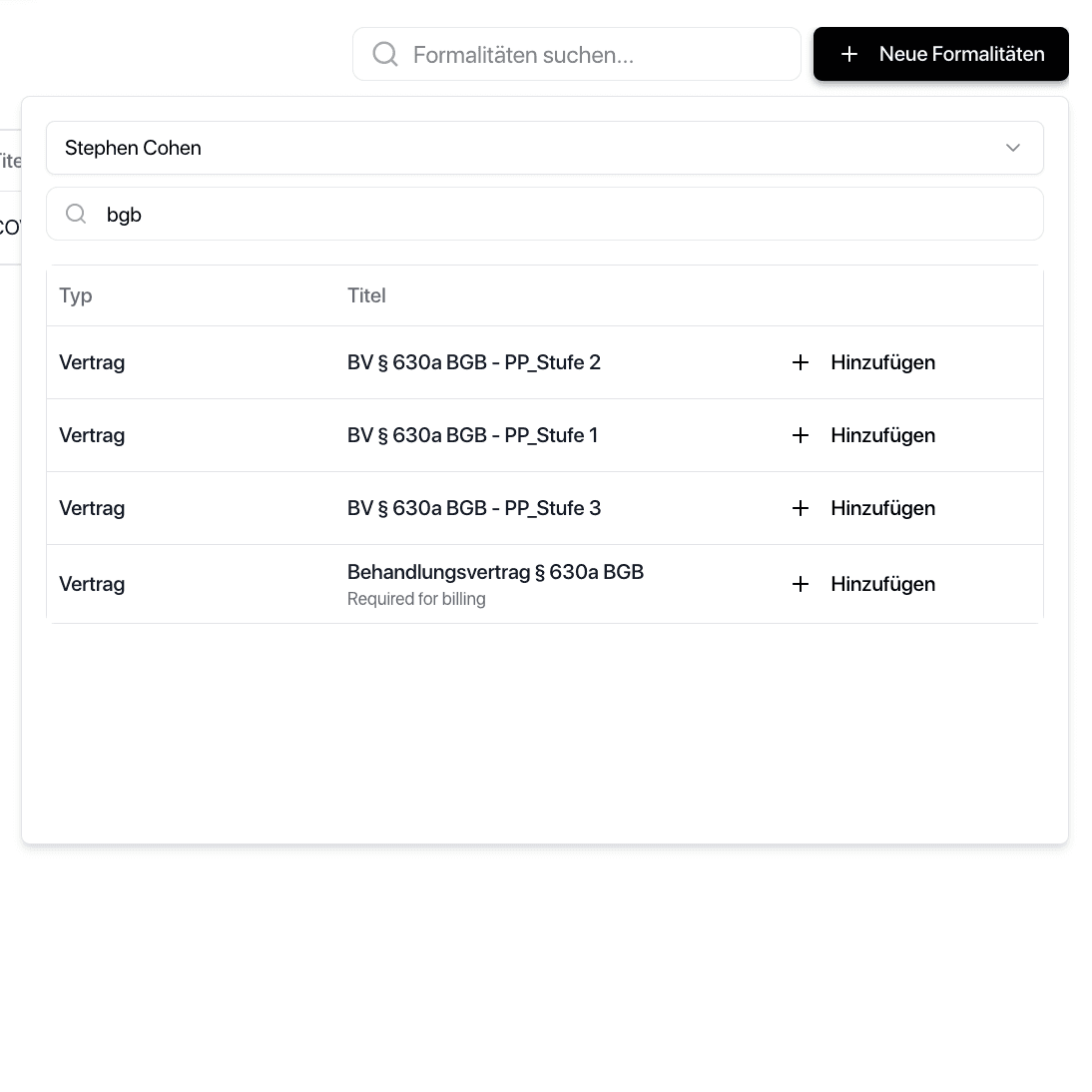
Step 1 - Select Document
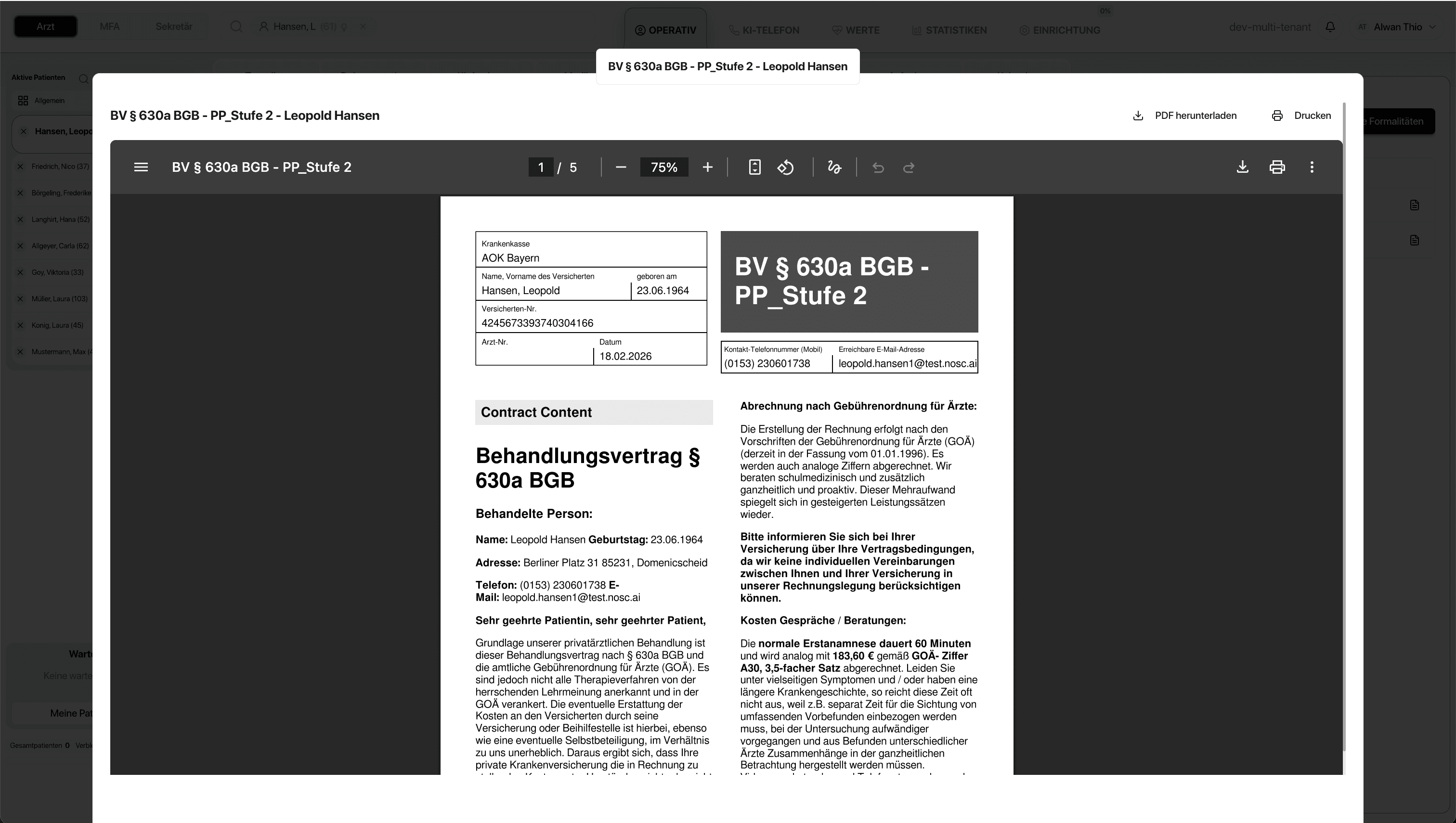
Open information/consent or agreement in ClinicOS.
Step 2 - Get it signed
Step 3 - Automatically Documented

The Result & How It Works
Documents completed in minutes - and neatly filed in the record
You save printing and scanning effort, reduce errors, and have signed documents available at any time in a structured manner. This speeds up processes for both practice and patient.
Below, we show how it works in everyday practice in three steps:

Step 1 - Select Document
Open information/consent or agreement in ClinicOS.
Step 2 - Get it signed
Step 3 - Automatically Documented
The Result & How It Works
Documents completed in minutes - and neatly filed in the record
You save printing and scanning effort, reduce errors, and have signed documents available at any time in a structured manner. This speeds up processes for both practice and patient.
Below, we show how it works in everyday practice in three steps:

Step 1 - Select Document
Open information/consent or agreement in ClinicOS.
Step 2 - Get it signed
Step 3 - Automatically Documented

For Private Practices
Why this is especially relevant for private practices
Professional, modern process for private patients
Relief for medical assistants: less paperwork, less filing, less post-processing
More security: Signatures and documents are reliably assigned and easily accessible
FAQ
Find answers to frequently asked questions about features, security, and usage of ClinicOS.
Can the patient sign before the appointment?
Do I still need to scan or file the documents afterwards?
What documents can I have digitally signed?
FAQ
Find answers to frequently asked questions about features, security, and usage of ClinicOS.