PRACTICE MANAGEMENT

Online Appointment Calendar

Online Appointment Calendar

Appointments that organize themselves – bookable online, automatically confirmed

Appointments that organize themselves – bookable online, automatically confirmed

With the online appointment calendar from ClinicOS, patients can book appointments 24/7. Availabilities, appointment types, and rules are automatically taken into account – noticeably easing the workload of your team.

With the online appointment calendar from ClinicOS, patients can book appointments 24/7. Availabilities, appointment types, and rules are automatically taken into account – noticeably easing the workload of your team.

Clear appointment rules instead of manual coordination

Reduced call volume and inquiries

Fewer no-shows through automatic confirmations & reminders

The Problem

The daily effort in scheduling appointments

The daily effort in scheduling appointments

Scheduling appointments takes up time every day: phone calls, callbacks, rescheduling, double bookings, unclear duration per service. Meanwhile, patients expect quick availability—even outside your phone hours.

Scheduling appointments takes up time every day: phone calls, callbacks, rescheduling, double bookings, unclear duration per service. Meanwhile, patients expect quick availability—even outside your phone hours.

Scheduling appointments takes up time every day: phone calls, callbacks, rescheduling, double bookings, unclear duration per service. Meanwhile, patients expect quick availability—even outside your phone hours.

High time expenditure due to calls, callbacks, and rescheduling of appointments

High time expenditure due to calls, callbacks, and rescheduling of appointments


Planning issues due to double bookings and unclear service duration

Planning issues due to double bookings and unclear service duration


High patient expectations for prompt availability outside of phone hours

High patient expectations for prompt availability outside of phone hours


The Solution

Online Appointment Scheduler

Online Appointment Scheduler

ClinicOS provides an online appointment calendar that represents your scheduling logic and automates bookings – including confirmations and clear workflows for your team.
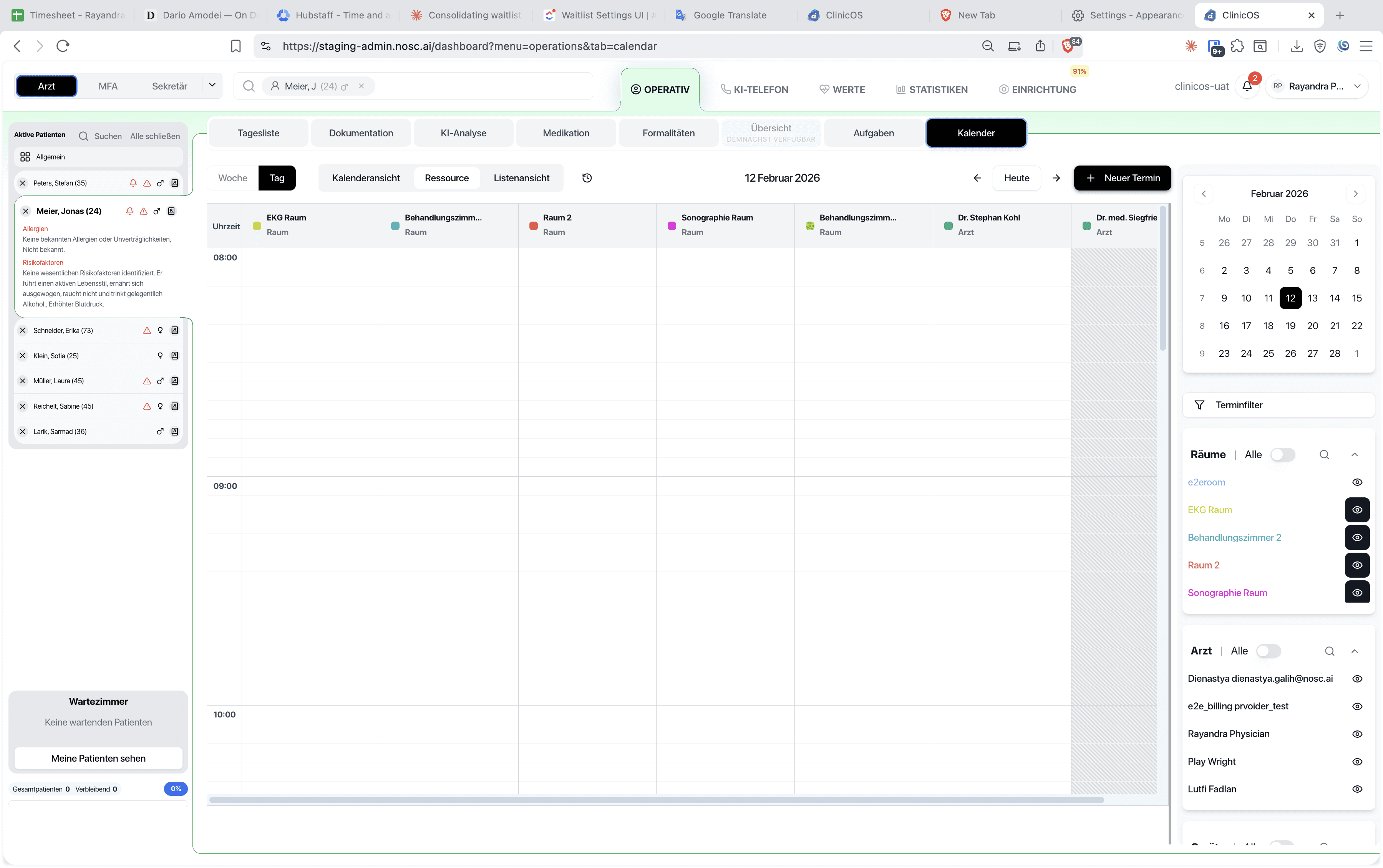
ClinicOS provides an online appointment calendar that represents your scheduling logic and automates bookings – including confirmations and clear workflows for your team.

Features

What the online appointment calendar specifically does for you
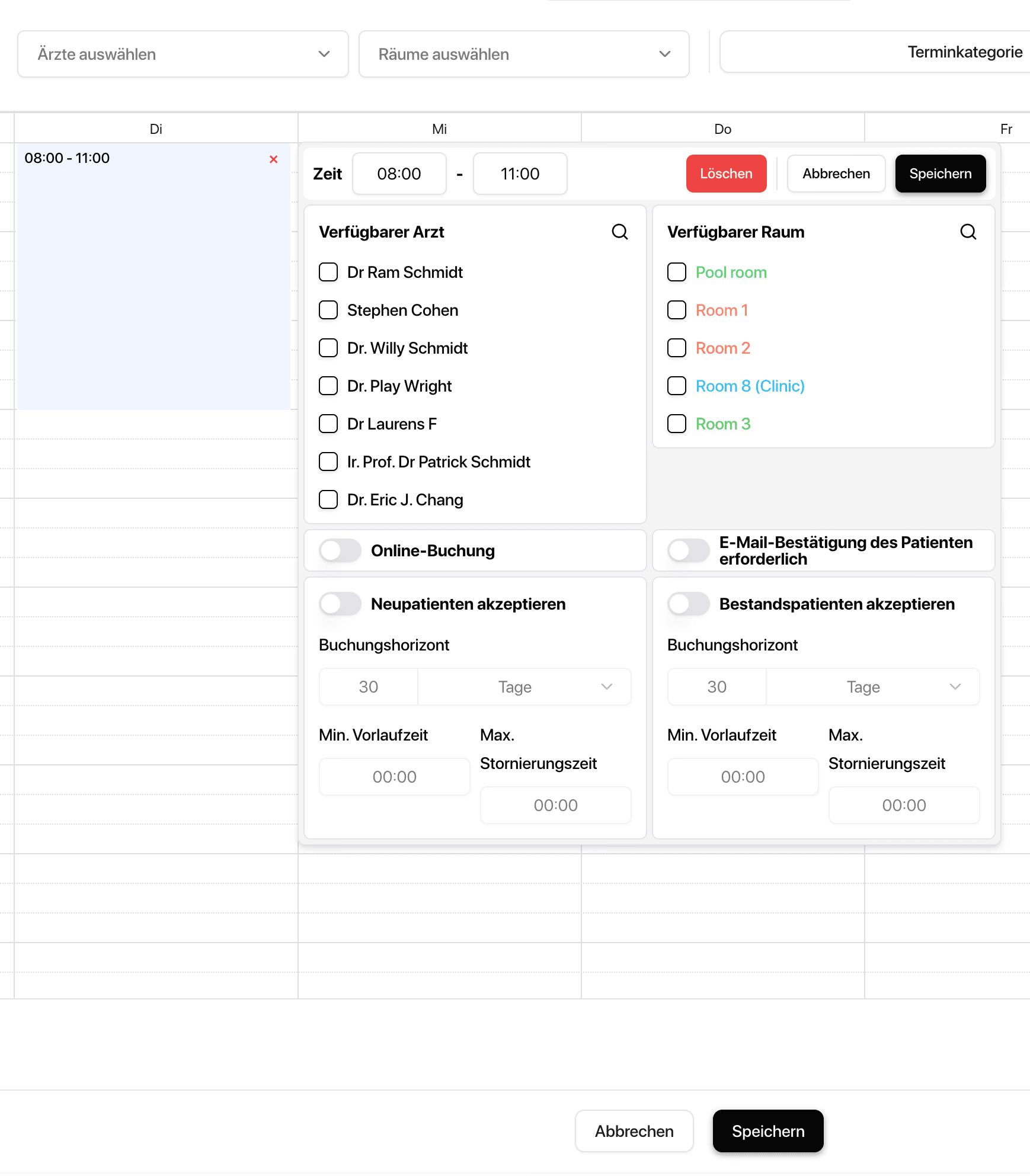
What the online appointment calendar specifically does for you
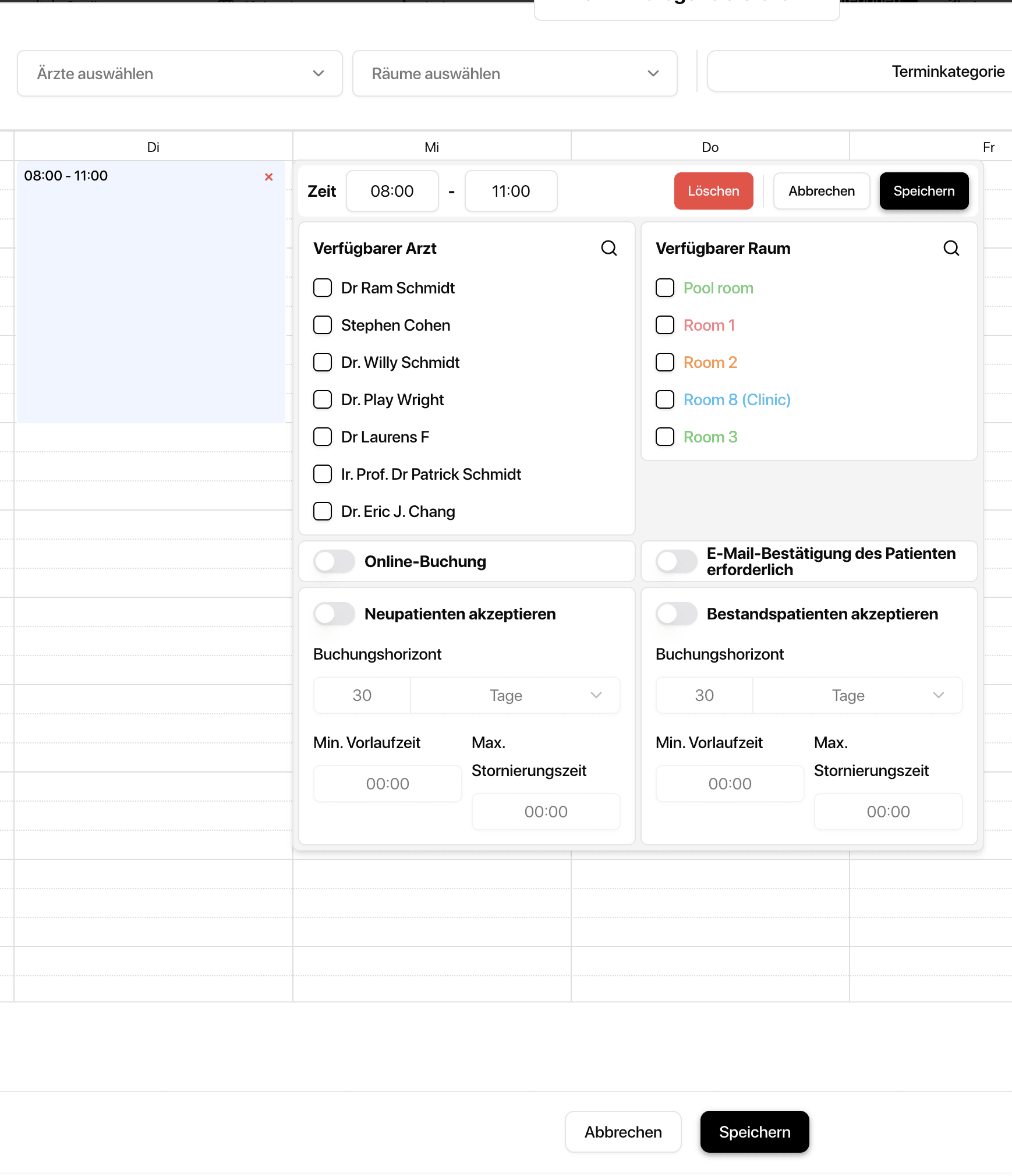
24/7 Online Booking

for patients – without call and waiting time

24/7 Online Booking

for patients – without call and waiting time

Types of Appointments with Duration & Rules

(e.g., initial appointment, check-up, consultation, treatment)

Smart Availabilities

Breaks, Vacation, Blocked Times, Resources (optional)

Smart Availabilities

Breaks, Vacation, Blocked Times, Resources (optional)

Automatic Confirmations & Reminders

to reduce no-shows

Automatic Confirmations & Reminders

to reduce no-shows

Easy rescheduling/cancellation

according to your specifications

Clear daily and weekly overview

for the entire team

The Result & How It Works

Less organization – more planned consultations

Patients book appointments themselves, reducing the need for your team to coordinate. At the same time, appointment rules are maintained, and no-shows are minimized through reminders.

Below, we show how it works in everyday practice in three steps:

Step 1 - Define types of appointments

Define duration, lead time, booking rules, and time slots.

Step 2 - Unlock calendar
Step 3 - Process automatically
Ein Bild der Budget-Benutzeroberfläche von Freelio

The Result & How It Works

Less organization – more planned consultations

Patients book appointments themselves, reducing the need for your team to coordinate. At the same time, appointment rules are maintained, and no-shows are minimized through reminders.

Below, we show how it works in everyday practice in three steps:

Ein Bild der Budget-Benutzeroberfläche von Freelio
Step 1 - Define types of appointments

Define duration, lead time, booking rules, and time slots.

Step 2 - Unlock calendar
Step 3 - Process automatically

The Result & How It Works

Less organization – more planned consultations

Patients book appointments themselves, reducing the need for your team to coordinate. At the same time, appointment rules are maintained, and no-shows are minimized through reminders.

Below, we show how it works in everyday practice in three steps:

Ein Bild der Budget-Benutzeroberfläche von Freelio
Step 1 - Define types of appointments

Define duration, lead time, booking rules, and time slots.

Step 2 - Unlock calendar
Step 3 - Process automatically

For Private Practices

Why this is especially relevant for private practices

Why this is especially relevant for private practices

Why this is especially relevant for private practices

Higher service quality: Patients book quickly and easily

Relief for the team: less phone time and fewer coordinations

Better utilization: clear rules, fewer gaps, fewer no-shows

FAQ

Find answers to frequently asked questions about the features, security, and usage of ClinicOS.

What about appointment reminders?
Can I limit bookings or set rules?
Can I offer different types of appointments with varying durations?

FAQ

Find answers to frequently asked questions about the features, security, and usage of ClinicOS.

What about appointment reminders?
Can I limit bookings or set rules?
Can I offer different types of appointments with varying durations?