PRACTICE MANAGEMENT

Video Consultation

Video Consultation

Video consultation directly in the browser – launches from the patient portal in seconds

Video consultation directly in the browser – launches from the patient portal in seconds

Patients log into the patient portal and start the video consultation without an app and with no technical hassle – simply in the browser. If desired, the AI consultation assistant runs alongside and takes over the documentation, even during the video session.

Patients log into the patient portal and start the video consultation without an app and with no technical hassle – simply in the browser. If desired, the AI consultation assistant runs alongside and takes over the documentation, even during the video session.

Easy start for patients: Log in → Start consultation

No app, no installation – works directly in the browser

Optional with AI documentation: less rework, clean records

The Problem

Challenges of Video Appointments in Everyday Practice

Challenges of Video Appointments in Everyday Practice

Video appointments often fail due to technical issues: app installations, links, login problems, and inquiries to the team. Additionally, despite the video format, the documentation often remains your responsibility – including follow-up work after the appointment.

Video appointments often fail due to technical issues: app installations, links, login problems, and inquiries to the team. Additionally, despite the video format, the documentation often remains your responsibility – including follow-up work after the appointment.

Video appointments often fail due to technical issues: app installations, links, login problems, and inquiries to the team. Additionally, despite the video format, the documentation often remains your responsibility – including follow-up work after the appointment.

Technical entry barriers due to apps, links, and login issues

Technical entry barriers due to apps, links, and login issues


High level of support needed due to inquiries to the practice team

High level of support needed due to inquiries to the practice team


Additional documentation work despite video appointment and follow-up

Additional documentation work despite video appointment and follow-up


The Solution

Video Consultation

Video Consultation

ClinicOS integrates video consultations directly into the patient portal: Patients begin their appointment in their browser, while you start in ClinicOS. If desired, the AI consultation assistant can join automatically to create a structured documentation, just like in an on-site practice.
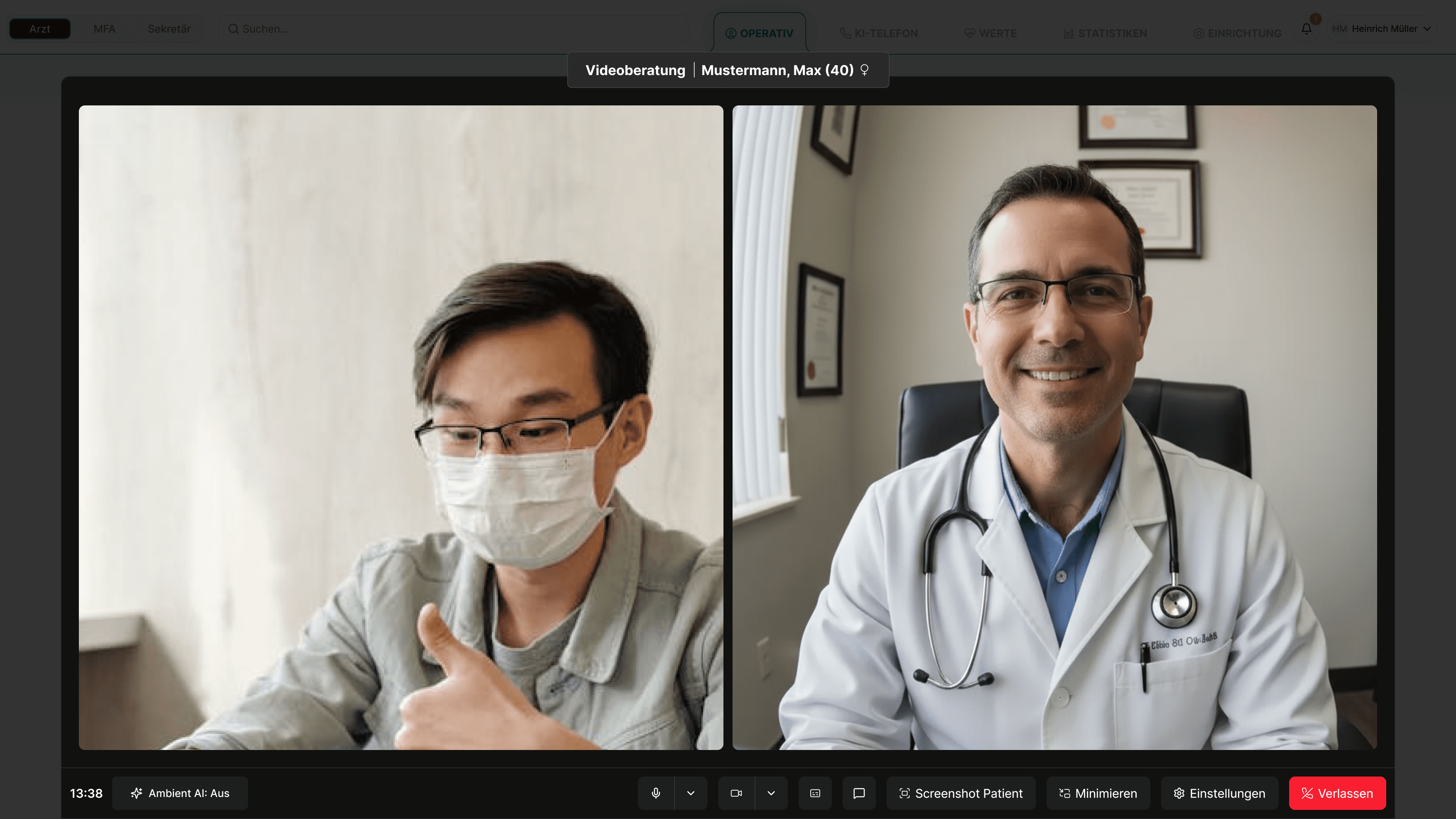
ClinicOS integrates video consultations directly into the patient portal: Patients begin their appointment in their browser, while you start in ClinicOS. If desired, the AI consultation assistant can join automatically to create a structured documentation, just like in an on-site practice.

Features

What the video consultation specifically covers for you
What the video consultation specifically covers for you
Start from the patient portal

The patient sees the appointment and starts the consultation with a click

Optional: AI Consultation Assistant

for automatic documentation during the video consultation

Optional: AI Consultation Assistant

for automatic documentation during the video consultation

Browser-based

no app, no installation, no technical effort

Browser-based

no app, no installation, no technical effort

Clear appointment scheduling

Video consultation is directly linked to the appointment/patient

Clear appointment scheduling

Video consultation is directly linked to the appointment/patient

Structured Documentation Draft

You briefly check and approve

The Result & How It Works

Video appointments without technical stress – and the record is completed directly

Patients reliably attend appointments, your team has less support effort, and thanks to optional AI documentation, you save time on follow-up work.

Below, we show how it works in everyday practice in three steps:

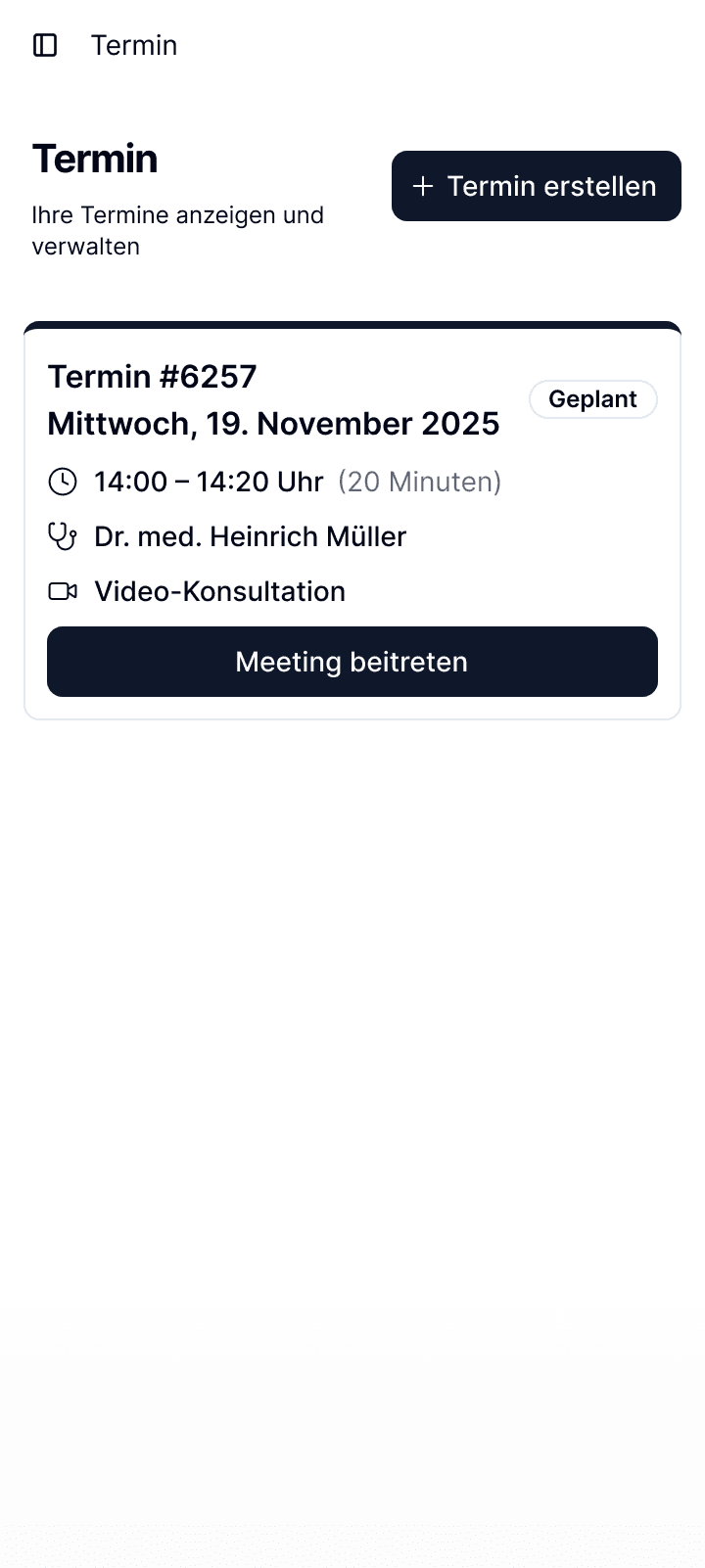
Step 1 - Appointment in the Portal

The patient logs in and sees the upcoming video appointment.

Step 2 - Start Consultation
Step 3 - Optionally automate documentation
Ein Bild der Budget-Benutzeroberfläche von Freelio

The Result & How It Works

Video appointments without technical stress – and the record is completed directly

Patients reliably attend appointments, your team has less support effort, and thanks to optional AI documentation, you save time on follow-up work.

Below, we show how it works in everyday practice in three steps:

Ein Bild der Budget-Benutzeroberfläche von Freelio
Step 1 - Appointment in the Portal

The patient logs in and sees the upcoming video appointment.

Step 2 - Start Consultation
Step 3 - Optionally automate documentation

The Result & How It Works

Video appointments without technical stress – and the record is completed directly

Patients reliably attend appointments, your team has less support effort, and thanks to optional AI documentation, you save time on follow-up work.

Below, we show how it works in everyday practice in three steps:

Ein Bild der Budget-Benutzeroberfläche von Freelio
Step 1 - Appointment in the Portal

The patient logs in and sees the upcoming video appointment.

Step 2 - Start Consultation
Step 3 - Optionally automate documentation

For Private Practices

Why this is especially relevant for private practices

Why this is especially relevant for private practices

Why this is especially relevant for private practices

Premium service for private patients with minimal hurdles

Relief for medical assistants: fewer technical inquiries, less support required

Increased efficiency through automated documentation, even for video appointments

FAQ

Find answers to frequently asked questions about the features, security, and use of ClinicOS.

Can the AI assistant also document during video appointments?
How does the patient start the video consultation?
Do patients need to install an app?

FAQ

Find answers to frequently asked questions about the features, security, and use of ClinicOS.

Can the AI assistant also document during video appointments?
How does the patient start the video consultation?
Do patients need to install an app?