PRACTICE MANAGEMENT
Prescription Creation
Prescriptions automatically after the appointment – prepared based on your documentation
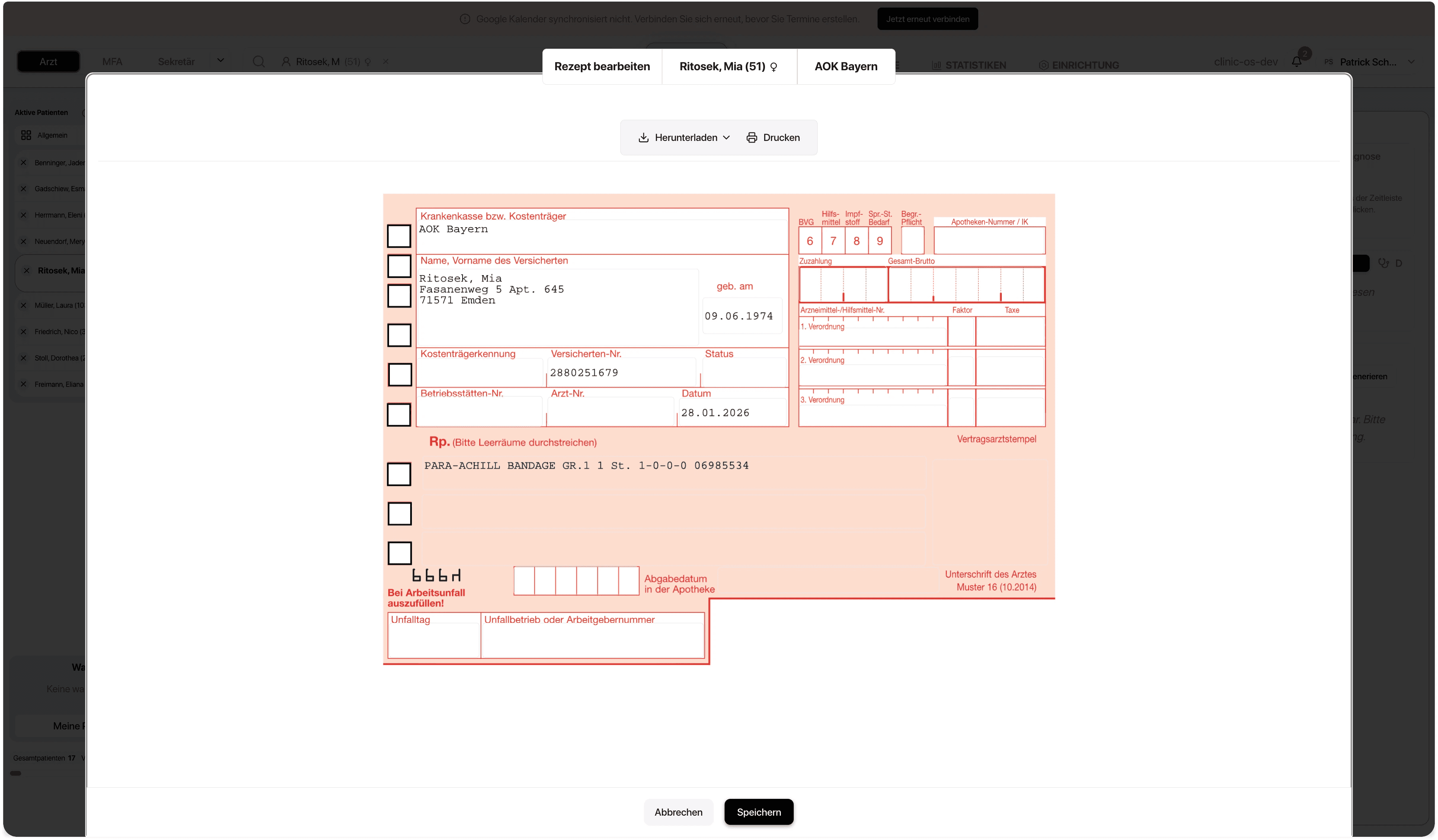
ClinicOS automatically creates draft prescriptions after the appointment. Based on the documentation, suitable medications are found in the integrated medication database and pre-selected as a template – you simply review and approve.
Less follow-up work after the consultation
Suitable medications automatically pre-selected
Fewer typos with prepared prescription templates

The Problem
Prescription creation in the busy daily practice
Prescriptions often happen 'casually': after the appointment, in passing, or at the end of the day. Medications need to be found, dosages checked, and contents accurately transferred. This takes time and increases the risk of careless mistakes.
High time expenditure due to subsequent and unplanned prescription creation
Medication search and verification effort for dosages and contents
Increased risk of errors due to time pressure and careless mistakes
The Solution
Prescription Creation
ClinicOS automatically generates prescription drafts from appointment documentation. The AI identifies the medication that arises from the appointment, suggests suitable preparations, and prepares the prescription as a template.

Features
What prescription creation specifically does for you
Assumption of relevant information
from the appointment (e.g., active ingredient/product, dosage, administration instructions – if documented)
Medication search in the medication database
and pre-selection of suitable preparations
Templates instead of free text
fewer manual entries and fewer sources of error
Automatic prescription drafts after the appointment
based on the documentation
The final control remains with you
They review, adjust, and approve
Assumption of relevant information
from the appointment (e.g., active ingredient/product, dosage, administration instructions – if documented)
Assumption of relevant information
from the appointment (e.g., active ingredient/product, dosage, administration instructions – if documented)
Medication search in the medication database
and pre-selection of suitable preparations
Medication search in the medication database
and pre-selection of suitable preparations
Templates instead of free text
fewer manual entries and fewer sources of error
Templates instead of free text
fewer manual entries and fewer sources of error
Automatic prescription drafts after the appointment
based on the documentation
Automatic prescription drafts after the appointment
based on the documentation
The final control remains with you
They review, adjust, and approve
The final control remains with you
They review, adjust, and approve
The Result & How It Works
Prescriptions ready faster – with significantly less manual effort
Instead of searching for and drafting each prescription individually, you receive a prepared draft directly from the appointment. This saves time and ensures a smoother process.
Below, we show how it works in everyday practice in three steps:
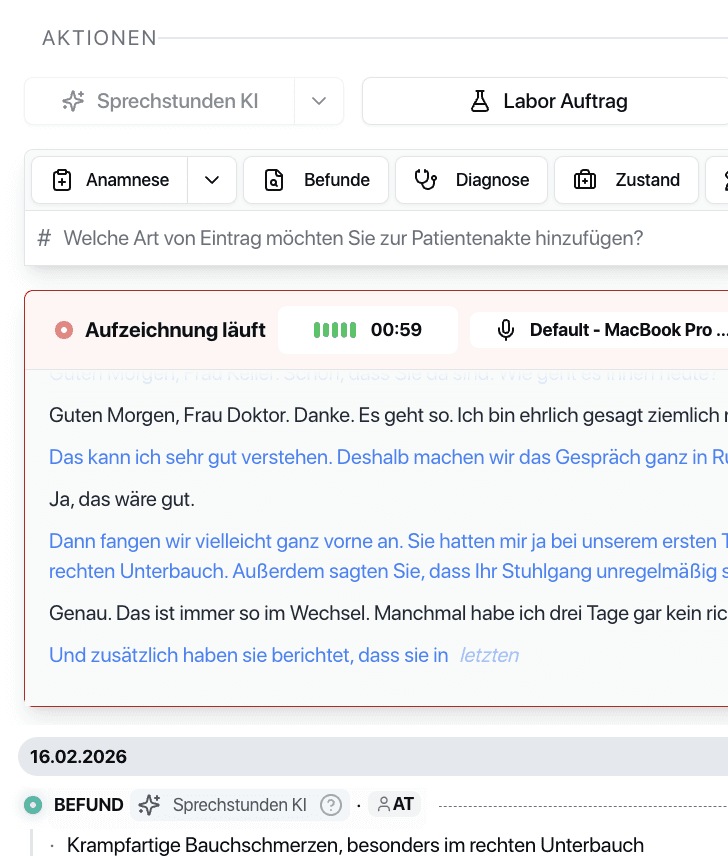
Step 1 - Document the appointment
The relevant content is generated as usual in the documentation.
Step 2 - Generate Draft
Step 3 - Review & Approve

The Result & How It Works
Prescriptions ready faster – with significantly less manual effort
Instead of searching for and drafting each prescription individually, you receive a prepared draft directly from the appointment. This saves time and ensures a smoother process.
Below, we show how it works in everyday practice in three steps:

Step 1 - Document the appointment
The relevant content is generated as usual in the documentation.
Step 2 - Generate Draft
Step 3 - Review & Approve
The Result & How It Works
Prescriptions ready faster – with significantly less manual effort
Instead of searching for and drafting each prescription individually, you receive a prepared draft directly from the appointment. This saves time and ensures a smoother process.
Below, we show how it works in everyday practice in three steps:

Step 1 - Document the appointment
The relevant content is generated as usual in the documentation.
Step 2 - Generate Draft
Step 3 - Review & Approve

For Private Practices
Why this is especially relevant for private practices
Less follow-up work after the consultation
Relief for the team and doctors in recurring prescription processes
Higher process quality through standardized templates instead of copy-paste
FAQ
Find answers to frequently asked questions about the features, security, and usage of ClinicOS.
Can I adjust the draft before approval?
How does the system know which medication is meant?
Does automatic prescription creation replace medical responsibility?
FAQ
Find answers to frequently asked questions about the features, security, and usage of ClinicOS.